
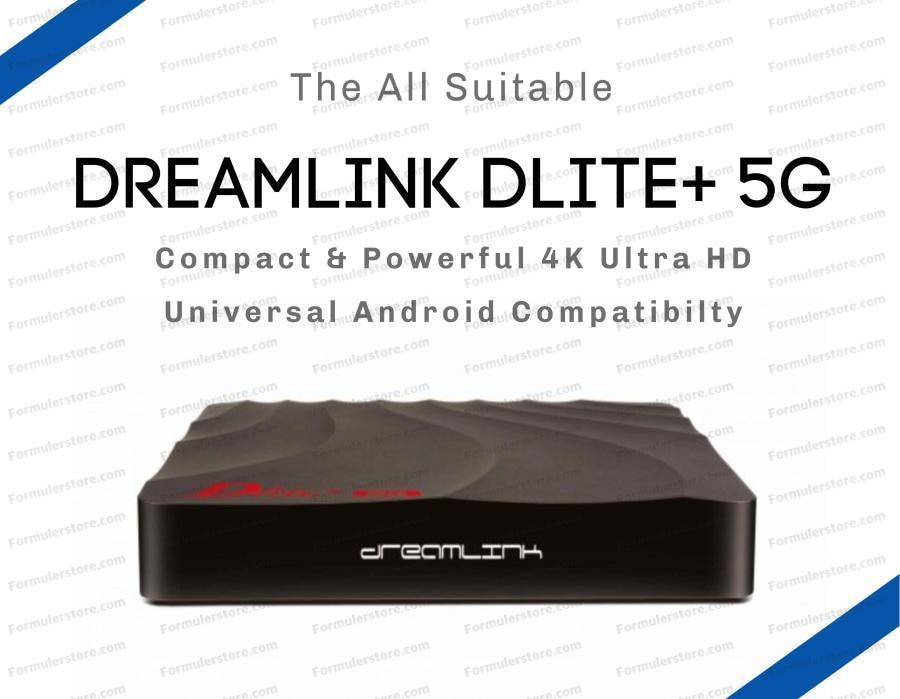
Replacing a Dreamlink receiver with a Formuler is a model-by-model decision, not simply a choice between brand names. Identify what you own, the services you use and what needs improving before ordering. This guide is written by Formulerstore.com, operated by FTA TRONIX INC. in Ottawa; we sell the equipment discussed here. It is not an independent test or a measured ranking of the brands.
Begin with the receiver you already have
Record the exact model from its label, the installed firmware and the media-app version. If your receiver still handles your lawful content source reliably, a replacement may not be necessary. Check whether the issue is a remote, power supply, network connection or account problem before buying another box.
Our Dreamlink Dlite+ 5G listing concerns that specific older receiver, not every Dreamlink model. Confirm its actual hardware, installed software and provider support before purchase. Do not treat specifications or screenshots for T1, T2 or T3 as Dlite+ specifications.
Compare software by model
| Receiver or family | What to check |
|---|---|
| Dreamlink Dlite+ and other older Dreamlink models | Confirm the installed app and firmware on the exact unit. Do not assume it runs a current MYTVOnline release. |
| Formuler Z10 family and GTV | MYTVOnline 2; use the version 2 connection menus. |
| Formuler Z11 family and Z mini | MYTVOnline 3; packages can have different remotes. |
| Formuler Z12 family | MYTVOnline 4 is available. An older Z12 Ultra may need the official update. |
Use Formuler's version-specific connection guide and its MYTVOnline 4 announcement. A similar interface does not establish software interchangeability, identical firmware or a shared backup format.
Formuler options to compare
The Z12 Pro is a MYTVOnline 4 option with a BT1 remote. Compare the Ultra SE and Ultra when you need their Dolby features, Wi-Fi 6E or greater storage. The Z11 Pro Max is an alternative for a MYTVOnline 3 setup, while Z mini prioritises compact size and has no built-in Ethernet port. See the Z12 comparison and Z11/Z12 comparison for exact configurations.
Compare the included remote as carefully as the receiver. Infrared controls, Bluetooth voice functions, backlighting and USB air-mouse accessories are different features. Do not assume a Dreamlink remote, Bluetooth adapter or power supply transfers to a Formuler merely because its connector or buttons look similar. Check the remote collection and Dreamlink replacement remote for model-specific guidance.
A safe migration checklist
- Keep the old working receiver and back up its settings where supported.
- Ask the content source whether the new model is supported and whether your device identifier must be registered again.
- Confirm simultaneous-connection limits before testing the old and new receivers together.
- Use the correct official firmware and app instructions for the new model. Do not import a backup unless that transfer is supported.
- Test playback, the programme guide and any permitted recording functions before retiring the old setup. Protect account passwords and connection addresses.
App support and updates
Neither an Android version nor Widevine alone guarantees HD or 4K playback in every streaming app. Google certification on the GTV does not substitute for a streaming provider’s device approval. The GTV also includes MYTVOnline 2. Consult its manufacturer page for model information.
Check update availability for the exact model. This guide makes no promise of a fixed support lifetime, a particular number of annual releases, superior resale value or faster app launches based only on the brand. No channels or programming are included with the hardware — it is hardware only.
Ordering and Ottawa support
Use current product listings for USD prices, availability, condition and package contents. Free standard shipping to Canada and the USA applies to order subtotals over US$99 after discounts and before taxes. Orders of US$99 or less, optional express shipping and applicable taxes are charged as shown at checkout. Read the Shipping Policy and return terms; receiver and accessory coverage should be checked separately.
Call 613-400-4588 or email sales@formulerstore.com. Hours: Monday–Friday 10:00 AM–6:00 PM; Saturday 10:00 AM–5:00 PM Eastern Time. Our setup directory and receiver-versus-tuner comparison provide further guidance.