
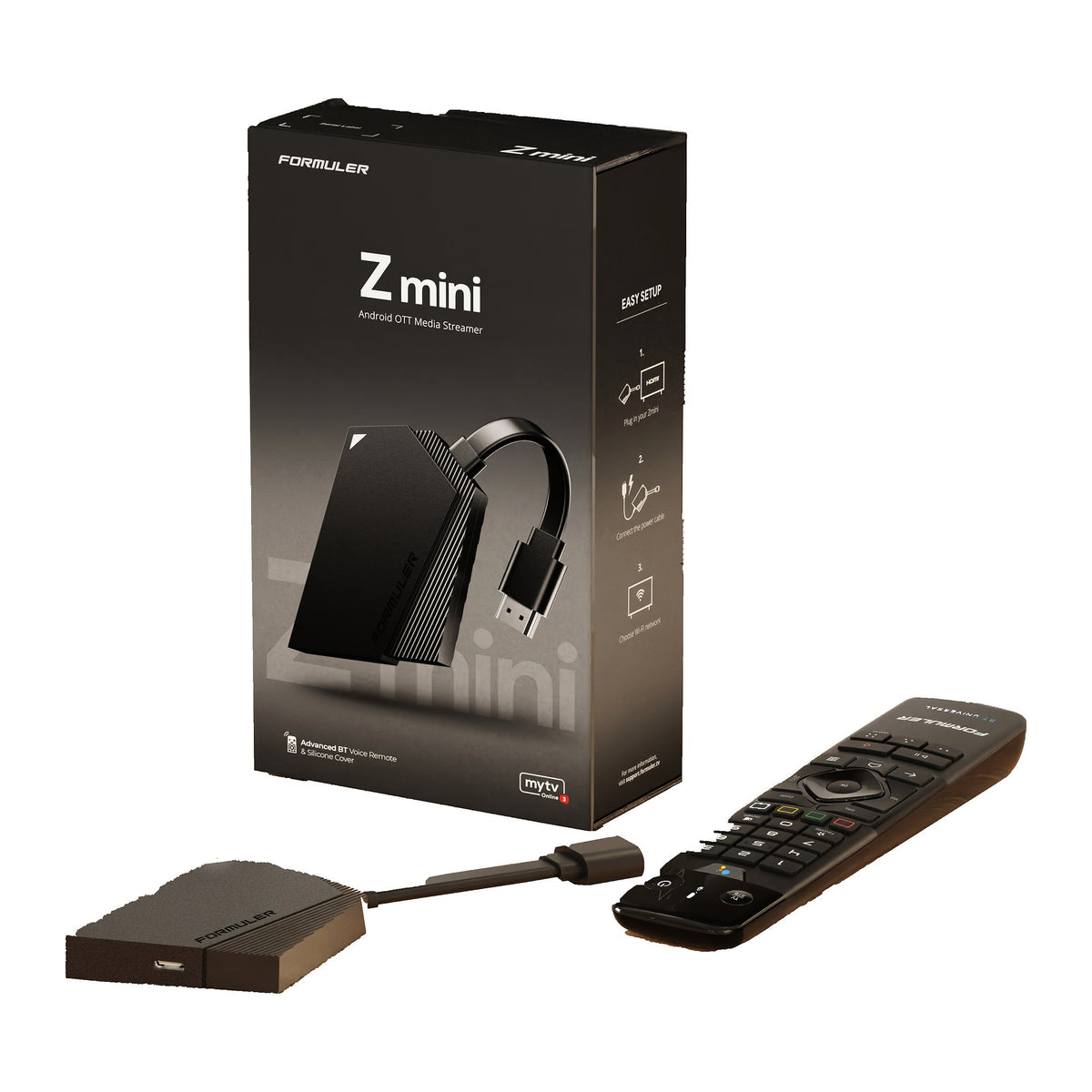
This guide explains how to set up the Formuler Z mini and what to check first: BT1 pairing, 5 V USB-C power, Ethernet options and 8 GB of storage. The Formuler Z mini is a compact receiver with Android 12, MYTVOnline 3 and an included GTV-BT1 Bluetooth voice remote; it is not supplied as a basic infrared-only package. This guide comes from Formulerstore.com in Ottawa; it is not an independent performance test.
Buying in Canada? Order the Formuler Z mini from our Ottawa store. Our Formuler Canada buying and shipping guide covers delivery times, local pickup and returns.
How to set up the Formuler Z mini
- Plug the Z mini into an HDMI input on your TV.
- Connect the supplied USB-C power cable and 5 V power adapter.
- Choose your Wi-Fi network; the Z mini has no built-in Ethernet port (see the Ethernet section below).
- Pair the BT1 remote: hold OK + MENU, then select it in the receiver's Bluetooth accessory settings.
- Open MYTVOnline 3 and add your own lawful content source with our MYTVOnline 3 setup guide.
Formuler's Z mini quick guide is available on Formuler's setup guides page; to reset the receiver, see Formuler's Z mini factory reset article.
Need to reset your Z mini? Follow our factory reset tutorial with pictures for the button location and recovery-menu steps. A reset erases installed apps, accounts and settings; save your login details first.
Size, software and connections
| Processor / graphics | Realtek RTD1325 / Mali-G57 MC1 |
|---|---|
| Memory / storage | 2 GB LPDDR4 / 8 GB eMMC |
| Software | Android 12 / MYTVOnline 3 |
| Video | Up to 4K at 60 fps; HDR10+ and HLG with compatible equipment and content |
| Wireless | Dual-band AC 2x2 Wi-Fi; Bluetooth 5.0 |
| Wired network | No built-in Ethernet port; confirm any proposed hub or adapter separately |
| Remote | GTV-BT1 Bluetooth voice remote |
| Dimensions | 83 × 60 × 12.5 mm |
| Power | 5V DC / 1A via USB-C; not a 12V receiver adapter |
Source: Formuler's Z mini specifications and package information. Advertised storage includes system software, so available space is lower. Android 12 does not mean MYTVOnline 4 is installed; the official MYTVOnline 4 release is for Z12-series devices.
Check the package before installation
Formuler lists the receiver, Bluetooth remote with silicone cover, power adapter, USB-C power cable, batteries and quick guide. Confirm the exact retail package on the selected listing. Connect to an appropriate HDMI input and use the correct supplied power equipment. Do not interchange the 12V/1A receiver adapter with the Z mini's 5V USB-C supply.
The Z mini Open Box listing is separate. Read its condition, testing, contents and terms instead of assuming that every accessory and package condition matches a new unit.
BT1 pairing and hidden installations
The included BT1 supports Bluetooth voice functions on compatible apps. Follow Formuler's pairing instructions: hold OK + MENU for pairing mode, then select the remote in the receiver's Bluetooth accessory settings. Programming TV power or volume is a separate task.
For an installation behind the TV, check clearance, ventilation, power-cable routing and actual wireless reception before fixing the receiver in place. Bluetooth control and Wi-Fi reception are different connections; a working remote does not prove a stable video stream.
Does the Formuler Z mini have Ethernet?
No. The Z mini has no built-in Ethernet port and connects through dual-band AC Wi-Fi. Formuler lists an official Formuler USB-C Hub accessory; its product photos show a wired network port, and Formuler recommends using the hub with the charging cable supplied with the Z mini. The package pictured on Formuler's page includes an EU power adapter, so confirm North American availability, the ports and the power arrangement before relying on it for a wired connection or storage. Do not assume that every third-party USB-C hub adds compatible Ethernet or recording storage while supplying the required power. For a receiver with built-in Gigabit Ethernet, compare the Z11 Pro, Z11 Pro Max or Z12 Pro. The older Z10 Pro has 100 Mbps Ethernet, not Gigabit.
Storage and recording limits
Eight gigabytes of advertised storage is a limited configuration. Check free space, supported recording destinations, app functions and provider permissions before relying on DVR features. Do not assume a microSD card fits or that every external drive works. Back up storage before formatting it and test a short recording first.
Content sources and picture formats
No channels or programming are included — the receiver is hardware only. Confirm your lawful content source's device and app requirements before ordering. Widevine support does not establish certification by a streaming service or guarantee HD or 4K playback in every app. Check the provider’s supported devices before ordering.
HDR10+ and HLG are listed Z mini features; Dolby Vision is not. For a different combination of Dolby formats, networking, storage and MYTVOnline 4, compare the Z12 Pro, Ultra SE and Ultra. A newer model is not automatically necessary when the compact receiver already meets your needs.
Ordering and Ottawa support
Choose the information for your delivery country: buying Formuler in Canada or buying Formuler in the USA. These guides explain ordering, delivery and support. Prices on this store are in USD for both countries.
Use the current product listings for USD prices, availability and included accessories. Free standard shipping to Canada and the USA applies to order subtotals over US$99 after discounts and before taxes. Orders of US$99 or less and optional express services use checkout rates; applicable taxes are separate. Orders ship from Ottawa; estimates are not guaranteed arrival dates.
The store's stated receiver warranty and 30-day return window are subject to the listing and return terms. Read the Shipping Policy. For setup, use our MYTVOnline 3 guide or call 613-400-4588, Monday–Friday 10:00 AM–6:00 PM and Saturday 10:00 AM–5:00 PM Eastern Time. See Contact Us.